Hierarchy Forge
Your Unity Hierarchy, upgraded.
Hierarchy Forge is my first published Unity Asset Store tool. It upgrades Unity's Hierarchy window into a real workspace: organize big scenes with colored folders and labeled separators, watch objects spawn and change in Play Mode, and catch errors and missing references right where they happen — before you ever hit Play. Everything is editor-only, so folders and separators are stripped from builds and no Hierarchy Forge code ships in your game.
What it does
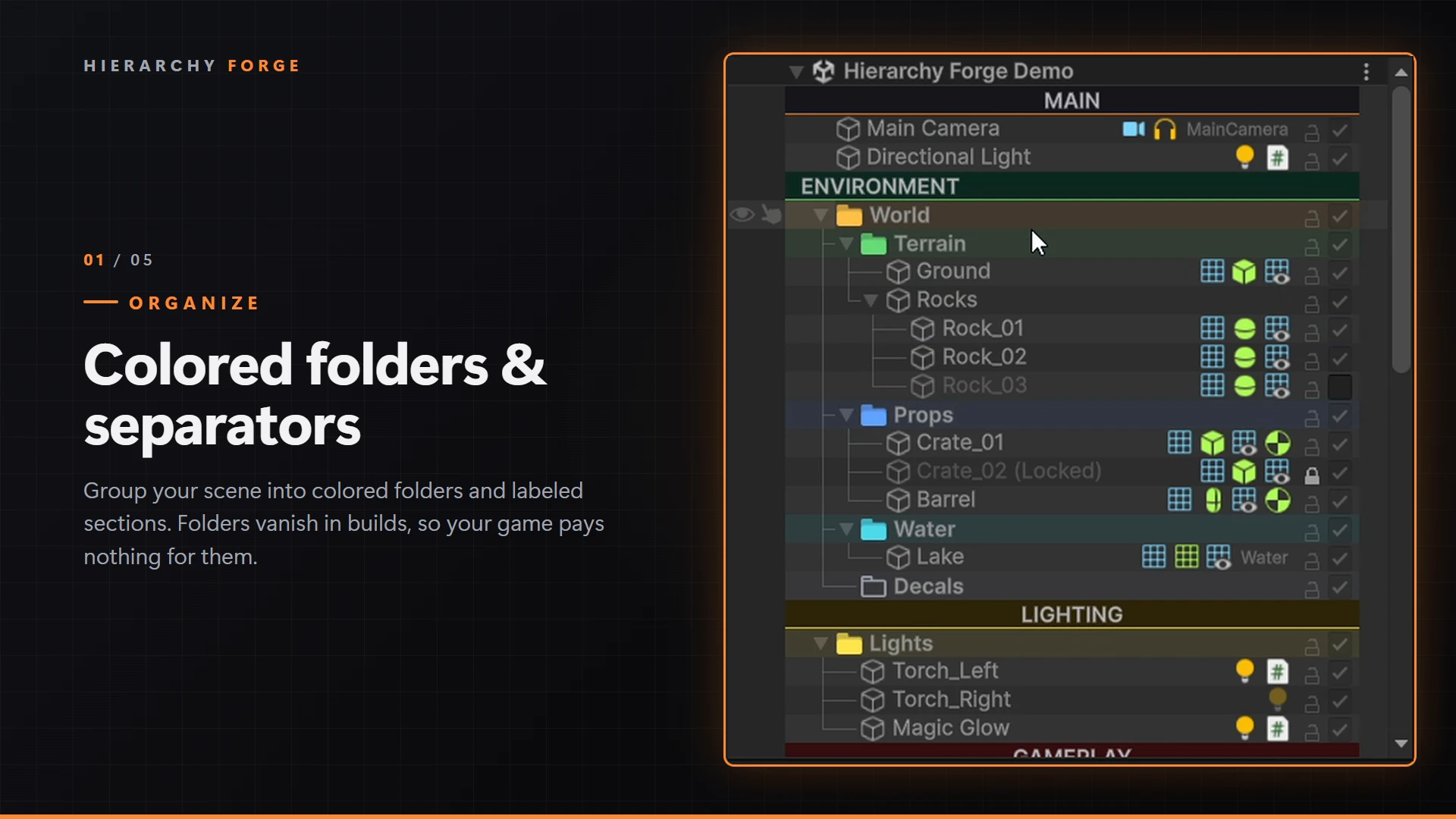
Colored folders & separators
Group your scene into colored folders and labeled section bars that keep large hierarchies readable. Folders and separators are removed from builds, so your game pays nothing for them.
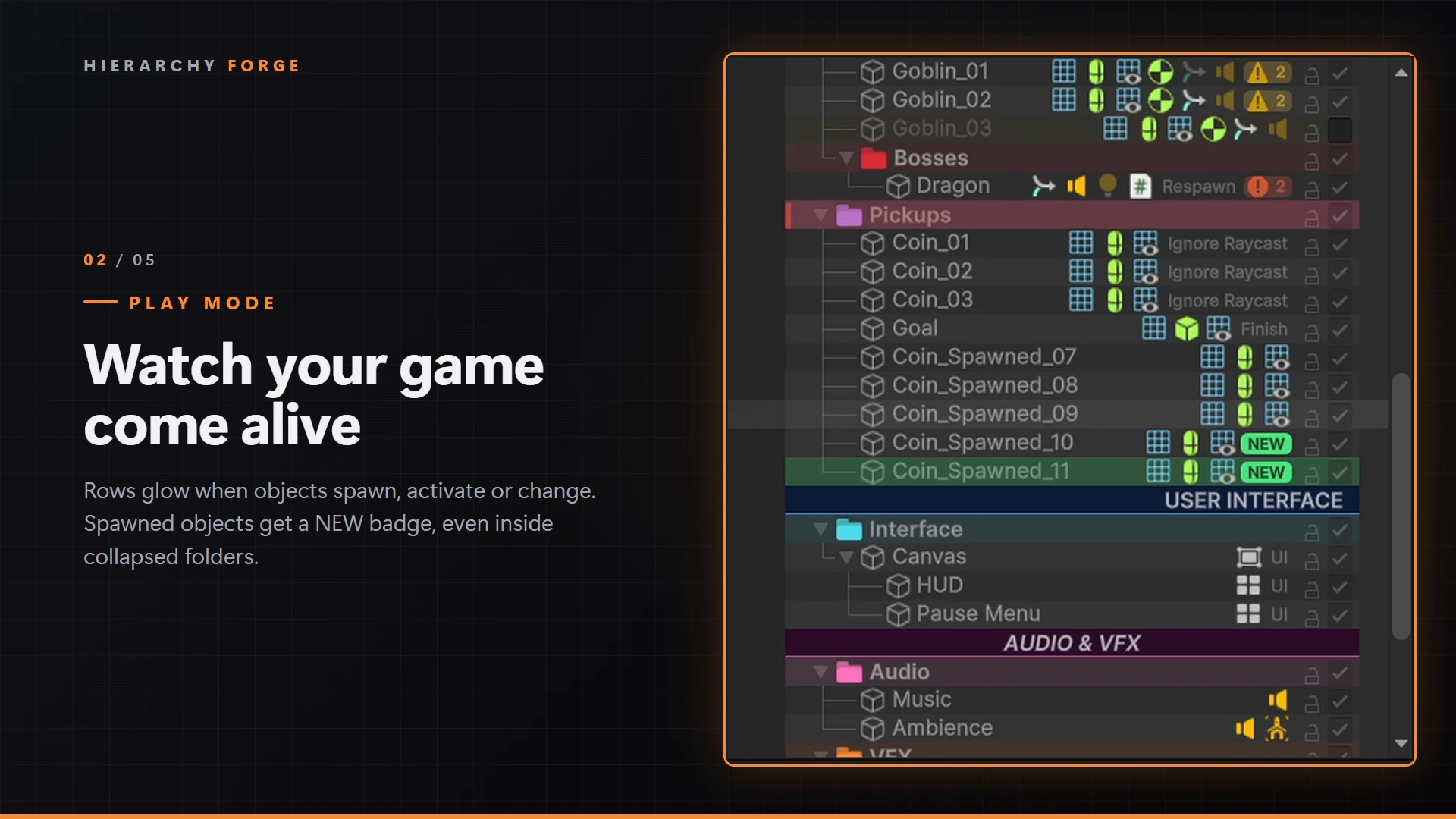
Watch your game come alive
Rows glow when objects spawn, activate, deactivate or change, so you can watch spawners, pools and state machines work in real time. Spawned objects get a NEW badge, and collapsed folders show an activity marker so nothing is hidden.
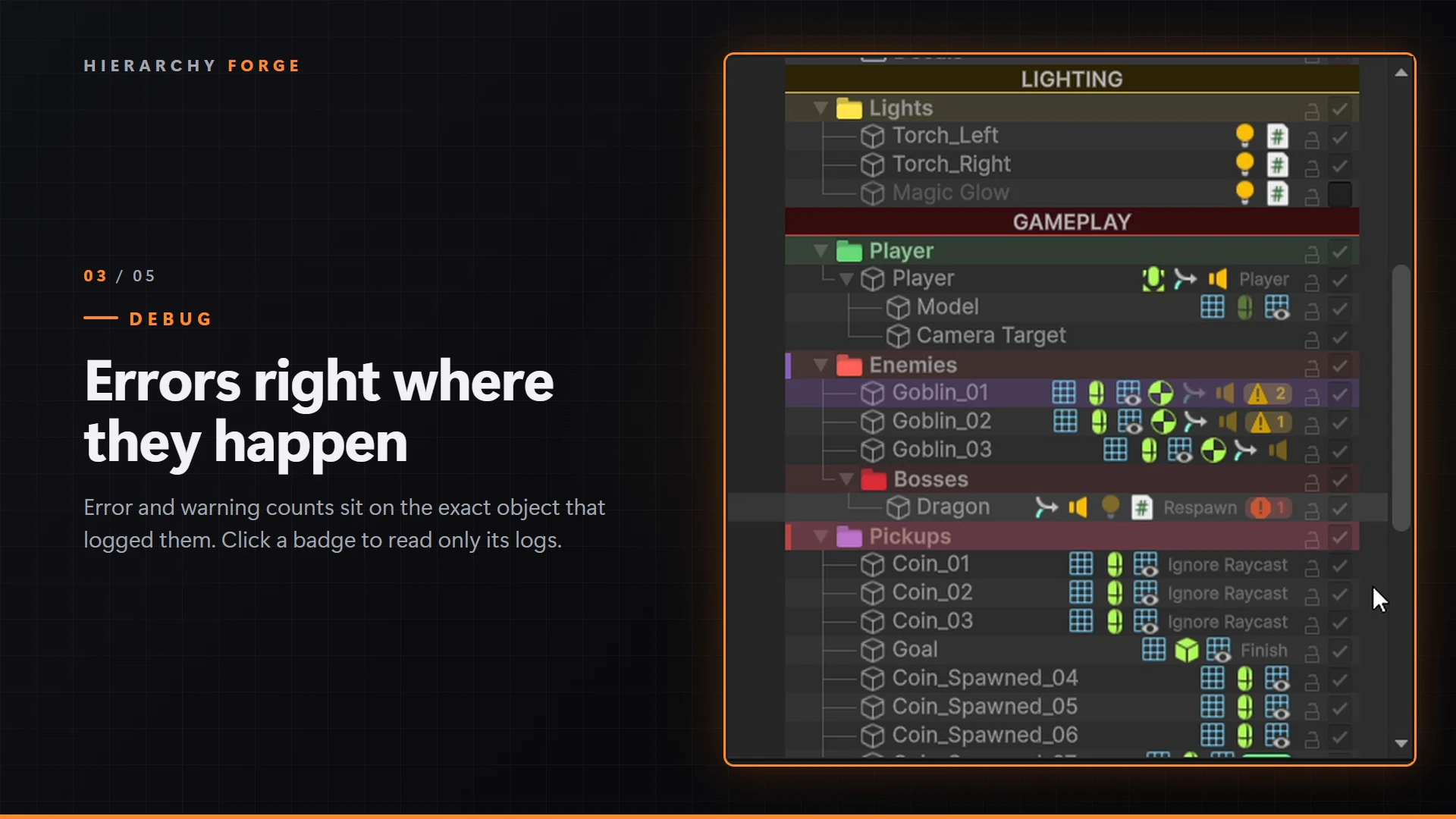
Errors right where they happen
When a script logs with a context object, the error and warning counts sit on the exact object that logged them — red for errors, yellow for warnings. Click a badge to read only that object's messages, newest first.
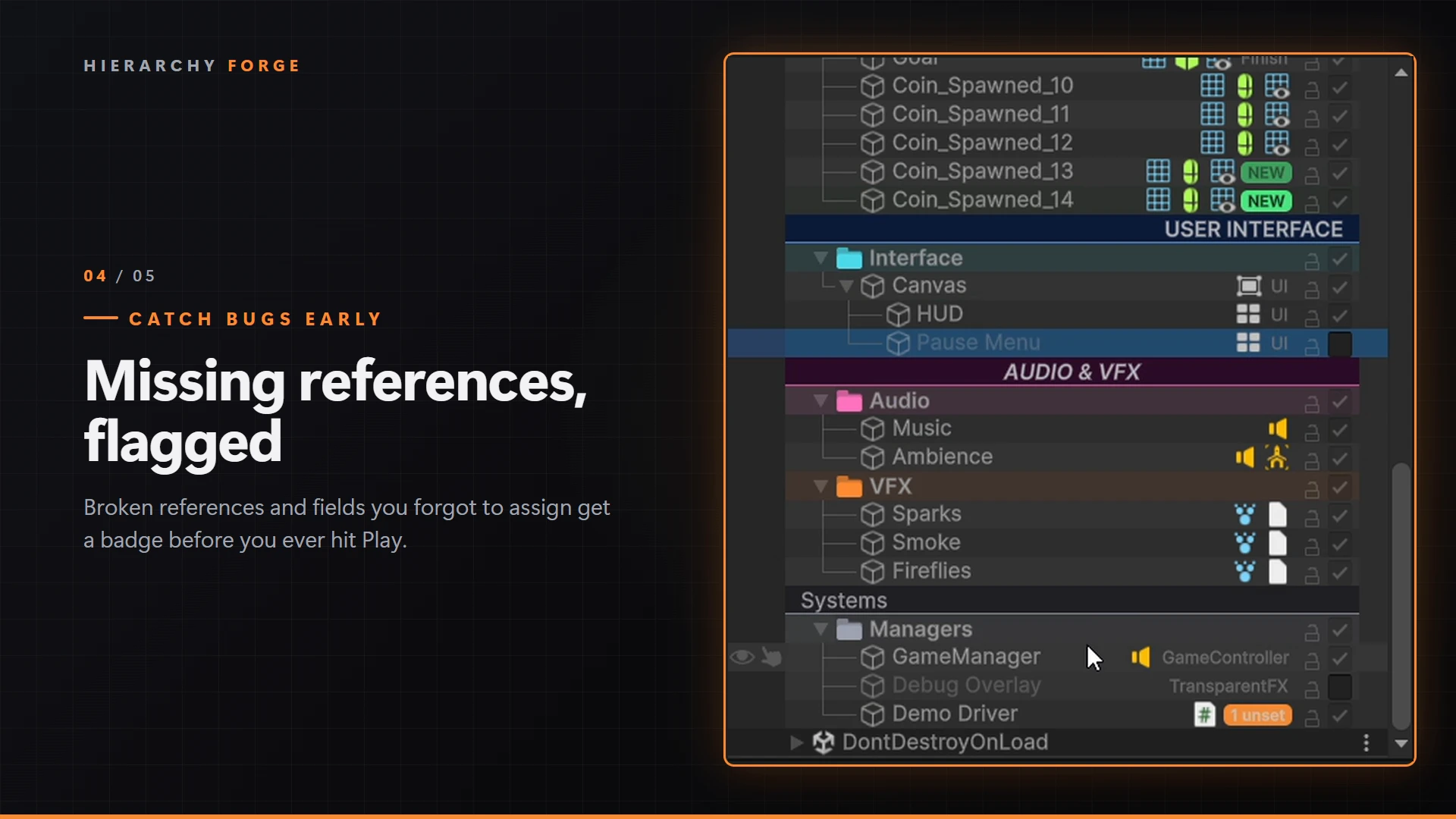
Missing references, flagged
Broken references and fields you forgot to assign get a badge before you ever hit Play. Hover to see exactly which fields are affected; mark intentionally-empty fields with a [HierarchyOptional] attribute to silence them.
Built for real production work
Peek inspector
Hover or right-click a component icon to edit it in a popup — fully editable, Undo-supported, without changing your selection.
Row tools
Active toggle, lock, click-to-toggle component icons, missing-script warnings, tag & layer labels, tree lines and zebra shading.
Team-friendly settings
Every option lives in Project Settings and is saved to your repo, so the whole team shares the same Hierarchy setup.
Extensible API
Add your own Hierarchy row features by deriving from HierarchyRowFeature — the same API the built-in features use.
Common questions
Does it affect my game's performance?
No. All features are editor-only. Folders and separators are removed from builds, and no Hierarchy Forge code runs in your player — zero runtime cost.
Does it slow down the editor?
Only visible rows are drawn, missing-reference scans are cached and spread over frames, and Play Mode tracking is throttled. Any feature can be turned off in Settings.
Which Unity versions are supported?
Unity 2022.3 LTS and newer, including Unity 6, across the Built-in, URP and HDRP render pipelines.
Does it work with prefabs and Prefab Mode?
Yes. Everything works in Prefab Mode, and right-side items leave room for Unity's prefab arrow.
Need an experienced Unity developer for your project?
Tell me what you're building. I'll reply with a clear approach, realistic scope and honest timeline — no pressure, no jargon.